A forum is divided into three levels in order to structure the discussion:
Forum
|
title of the main topic with short description
|
Topic
|
division of the main topic into sub-topics
|
Posting
|
individual messages
|
In order to create a forum, proceed as follows:
(1) (a) Open the folder in which you want to create a forum.
or
(b) Open the service-filing "Dialog". In order to do so, choose "Dialog" from the drop-down menu in the options area (left column).
(2) (a) Click on "add" next to the folder title.
or
(b) Click on "create a new fact" or "add forum" in the options area (left column).
(3) Depending on which alternative you chose in step 2, proceed as follows:
(a) Choose "Forum" from the list.
or
(b) Continue with step 4.
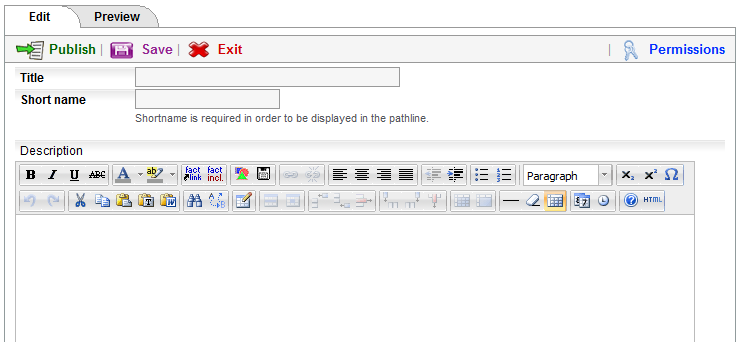
(3) An input mask opens.
(4) Enter a title and a shortname. The shortname will be displayed in the pathline.
(5) Insert a short description.
(6) Click on "next >>".
(7) Choose permissions for the forum:
 |
read
|
Groups which are read-permitted see the content
of the forum but are not allowed to post messages or
create topics.
|
 |
post
|
Groups which are post-permitted may create messages.
However, the are not allowed to create topics.
|
 |
create topic
|
These groups are allowed to create topics and postings.
|
 |
edit
|
These groups are permitted to edit the forum
(i.e. title, description) and to hide topics.
|
(8) Click on "preview".
(a) If you want to change anything, click on "edit".
(b) If you are satisfied with the preview, click on "publish".

Title, shortname and description of the forum can be edited at any time. Topics and postings can be edited as long has they have not been published.
|



![users - box services dialog [en] - 267134.2](/images/267134.0 "users - box services dialog [en] - 267134.2")