Home > struktur > English > Manuals > P-admin manual > Configuration > User groups > Edit groups
   Recent Changes (RSS 2.0) - factline community server

Edit groups
 

You can change the title and the description of groups.


In order to edit groups, proceed as follows:

|1| Choose "Groups & Users" from the main menu by clicking on it.


|2| Click on the “modify”-button in the row “Editing groups”.


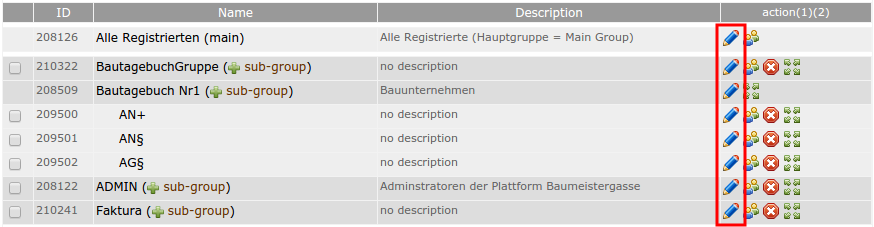
|3|
Click on the “modify” button, next to the group you want to edit.


pAdmin - group edit - 236700.3


|4|
Enter a new title and/or description for the groups.


|5| Click on the “Edit group”-button to save your changes.


allgemein - pfeil rechts - 232392.4 continue with: Hide groups


Metainfo:AutorIn: Astrid Holzhauser, CK
Copyright: factline Webservices GmbH
Publiziert von: factline Webservices GmbH
infoID: 161651.3 (...Archiv) Publiziert am 23 Aug. 2007; 17:03
Anzahl der Zugriffe auf dieses fact: 74
 
Verknüpfungen:
struktur  >  English  >  Manuals  >  P-admin manual  >  Configuration  >  User groups 
 
Verweis(e) (3):
@ All rights reserved    www.factline.com