|
Before you can send a newsletter, you must publish the respective text on your platform with a text or news-fact. This way you also create an archive of sent newsletters in your platform. Afterwards, you have to enter the infoID of the text in the input mask in the p-admin interface.
1.) Subscriber list
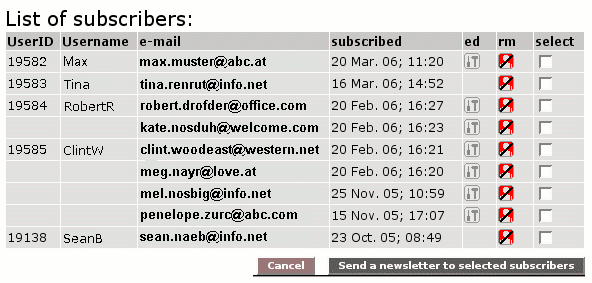
You can view the list of subscribed users. If you want to send a newsletter to certain subscribers, you can make your selection here.
Procedure:
|1| Choose "Services" from the main menu by clicking on it.
|2| Click on the "modify"-button in the row "Newsletter".
|3| Click on the modify"-button in the row "Subscriber list".
|4| Choose the subscribers you want to send the newsletter to and click on the "Send a newsletter to selected subscribers"-button.
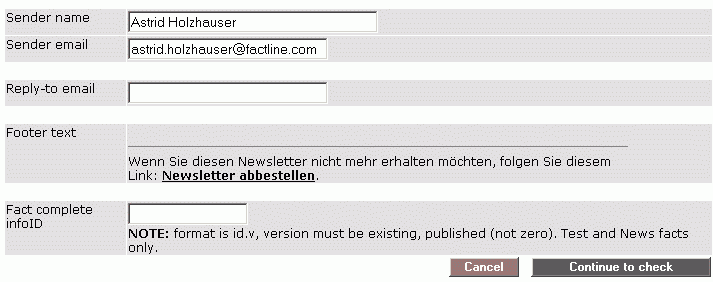
|5| Now, yu see the "create newsletter" input form. Please continue with "create newsletter" step 4.
2.) Create newsletter
In order to send a newsletter to all subscribers, proceed as follows:
|1| Choose "Services" from the main menu by clicking on it.
|2| Click on the "modify"-button in the row "Newsletter".
|3| Click on the modify"-button in the row "Create newsletter".
|4| In the input mask you can change the sender name and sender e-mail if necessary. In the last input field, you have to enter the infoID of the text that you published previously.
|5| Click on "Continue to check". A test e-mail will now be sent to the e-mail address of your p-admin user.
|6| If you are satisfied with the result, you can click on "Send the newsletter". If you want to make any changes, click on the "cancel"-button. You will be redirected to the input mask.
|