
Albums, also called slideshows, are ideally suited to present a large number of images.
Each picture can be provided with a detailed description. Moreover,
various display options are offered (e.g. thumbnail view, browse,...)
Procedure:
(1) (a) Open the folder in which you want to create a new album.
or
(b) Open the service-filing Slideshow". Choose "Slideshow" from the drop-down menu "" in
the options area (left column).
(2) (a) Click on "add" next to the folder title.
or
(b) Click on "add" or on "create new slideshow here" in the options area (left column).
(3) Depending on which option you chose in step 2, proceed as follows:
(a) Choose "Slideshow" from the list.
or
(b) Continue with step 4.
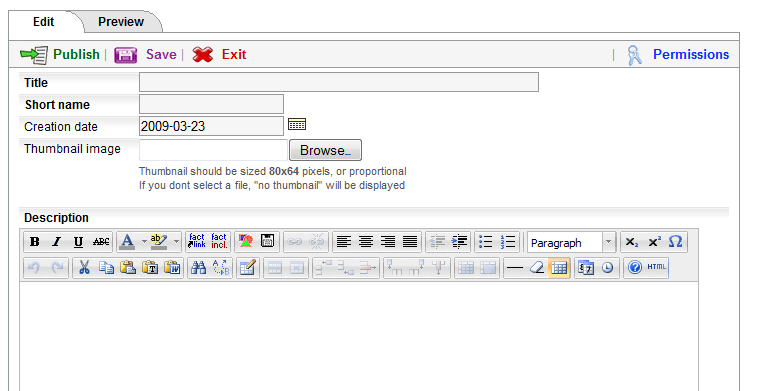
(4) An opens.
(5) Insert a title and a shortname. The shortname will be displayed in the pathline.
(6) If required, you can upload a thumbnail image
for the album. The maximum size of the thumbnail
image is 80 x 64
pixels. The thumbnail image is displayed next to the title of the album
in the service-filing
"Album" as well as in folders with thumbnail list layout.
(7) Insert a description.
(8) Click on "next >>".
(9) Set permissions for the album.
(10) Click on "preview".
(11) If you are satisfied with the preview, click on "publish". If you want to change anything, click on "edit".
|



![users - album anlegen serviceablage [en] - 268036.2](/images/268036.0 "users - album anlegen serviceablage [en] - 268036.2")
 continue with:
  return to:

